For Android TV · Google TV · Fire TV

The IPTV player
your TV deserves.

Live TV with a full guide, pause and record, films, series and sports — fast on every box, and built for the remote. Bring your own playlist.

On Fire TV? In the Downloader app, enter 2625887Copied ✓

7 days freeM3U, Xtream & StalkerNo content includedComing soon to Google Play

Works with the sources you already have

Xtream CodesM3U & M3U8Stalker portalsEnigma2 WebIFStremio add-onsJSON add-onsTraktXMLTV guidesUSB & NASWireGuard

Features

Everything you watch, in one app.

Live channels, films, series and sports from your playlist — organised, fast, and easy with a remote.

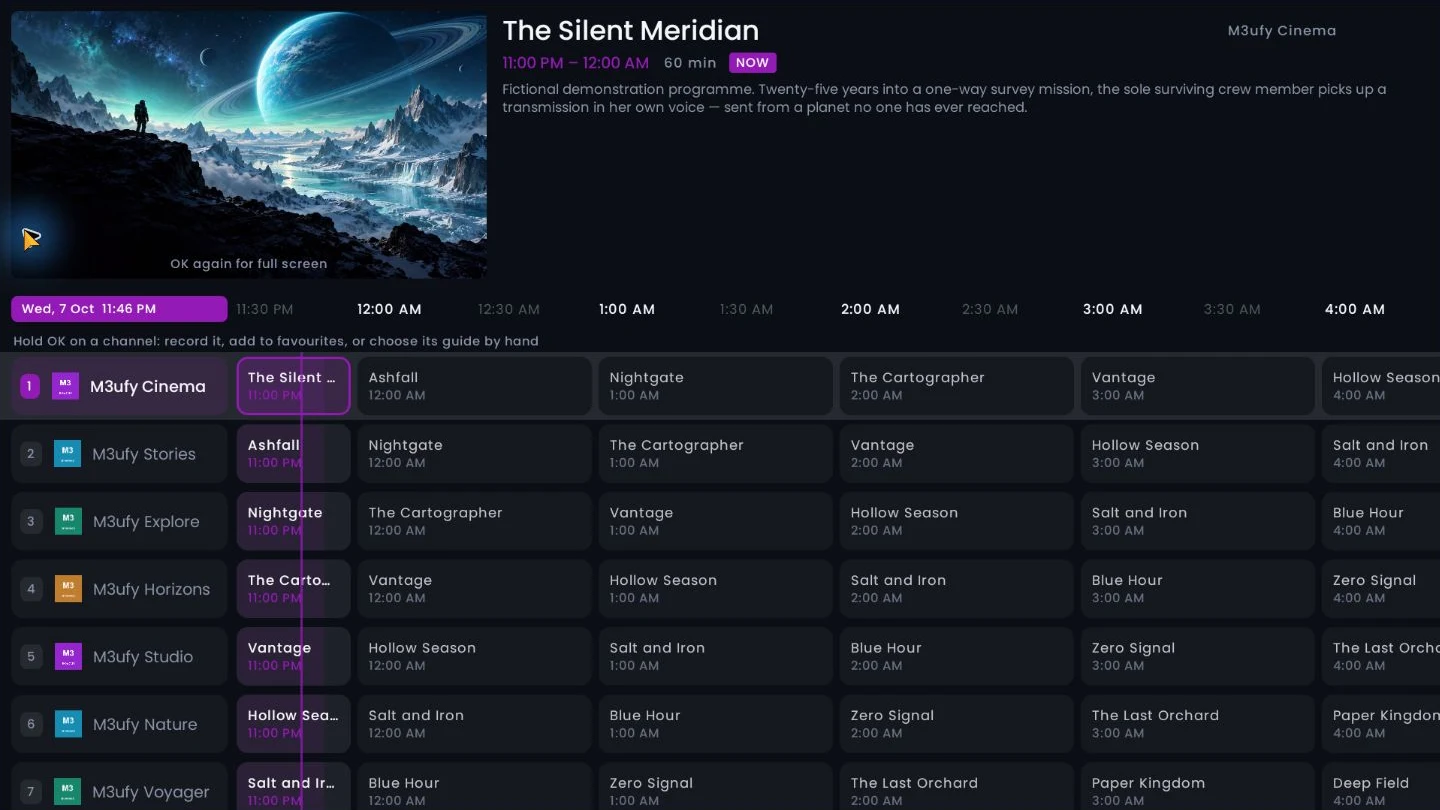
M3ufy TV Guide showing fictional channels and programme listings with the adjustable timeline

Live TV & guide

Your whole evening, laid out.

A full EPG grid with centred scrolling, a channel preview and a timeline you can set from two to eight hours.

  • Reminders, recordings and catch-up a press away
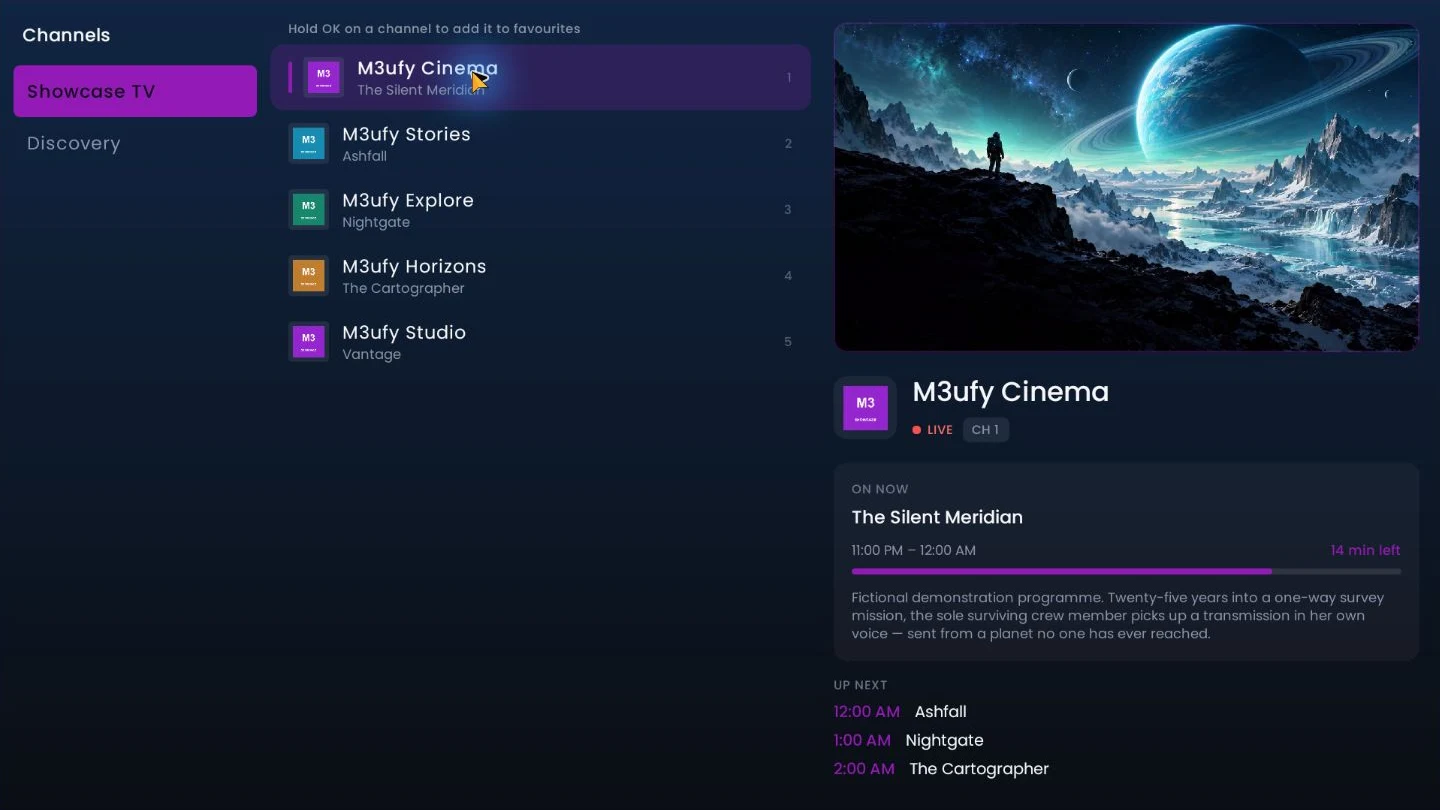
  • Groups, channels and preview together in Live TV
  • Fix one channel's guide or logo with a long press
M3ufy Live TV with fictional channels and an original illustration in the preview

Pause, record & watch offline

Live TV, on your schedule.

Pause any channel, start a programme from the beginning where your provider keeps catch-up, and record what you can't watch now.

  • Record now or book from the guide
  • Save to a USB drive, the box or a NAS
  • No second connection from your provider
  • Download films and episodes for later
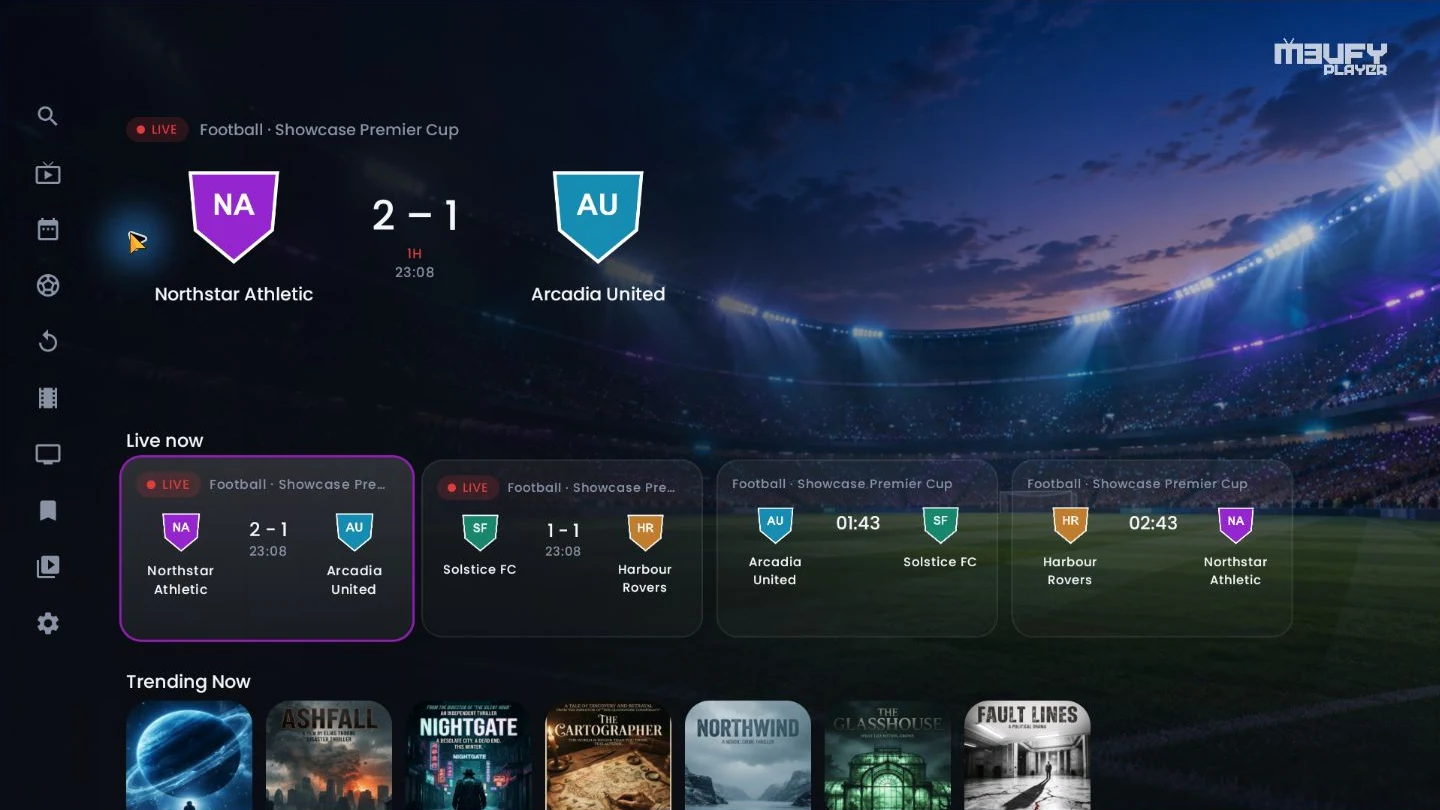
M3ufy Home sports hero and event cards with fictional teams, badges and scores

Sports New

Never miss a match.

Live scores and upcoming events right on Home, plus today's matches by competition.

  • Fixtures and standings by league
  • Finds matching channels in your playlists and guide
  • Follow teams and set kick-off reminders from your phone
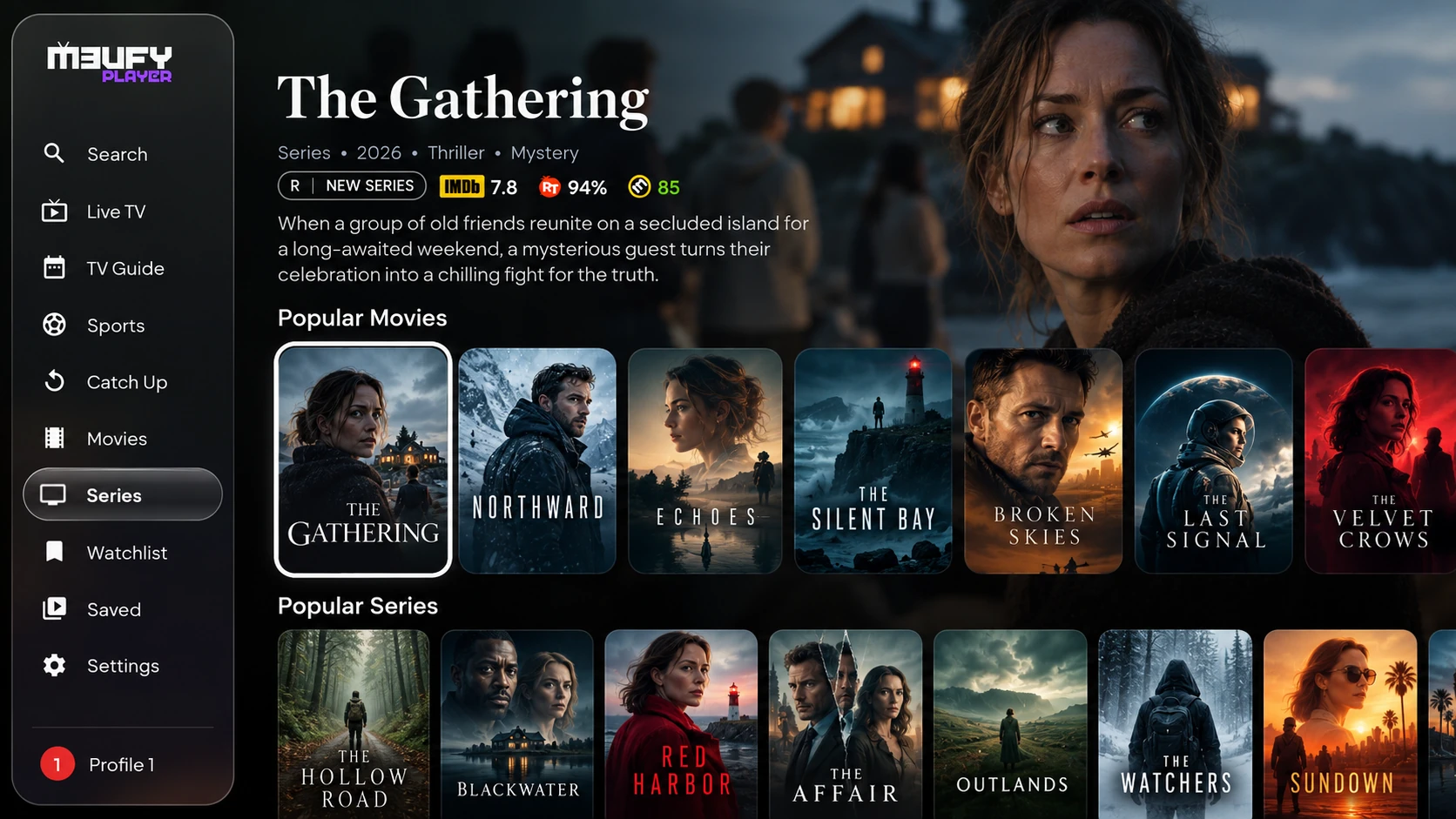
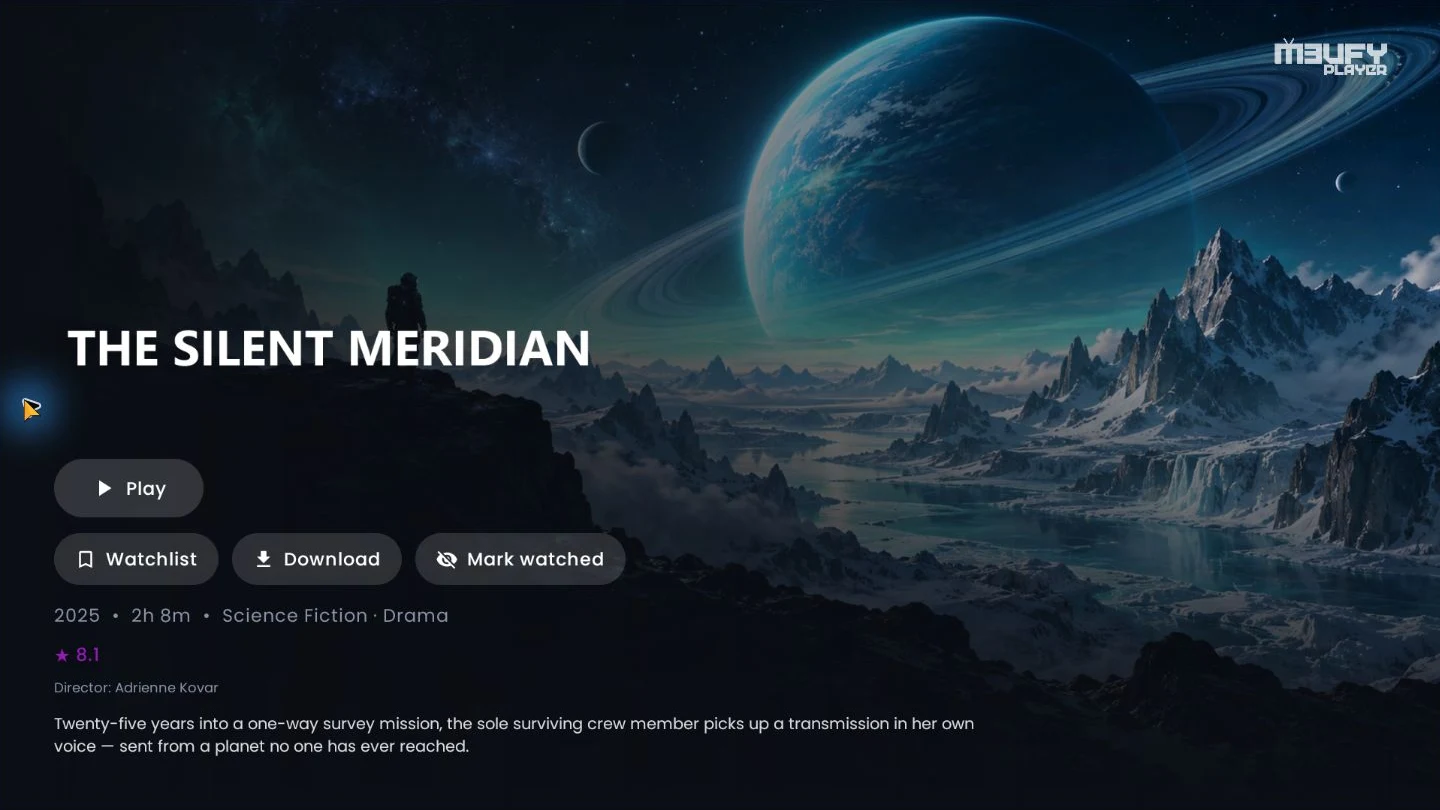
M3ufy detail page for an invented science-fiction film with original artwork and fictional cast

Films & series

A library that feels like cinema.

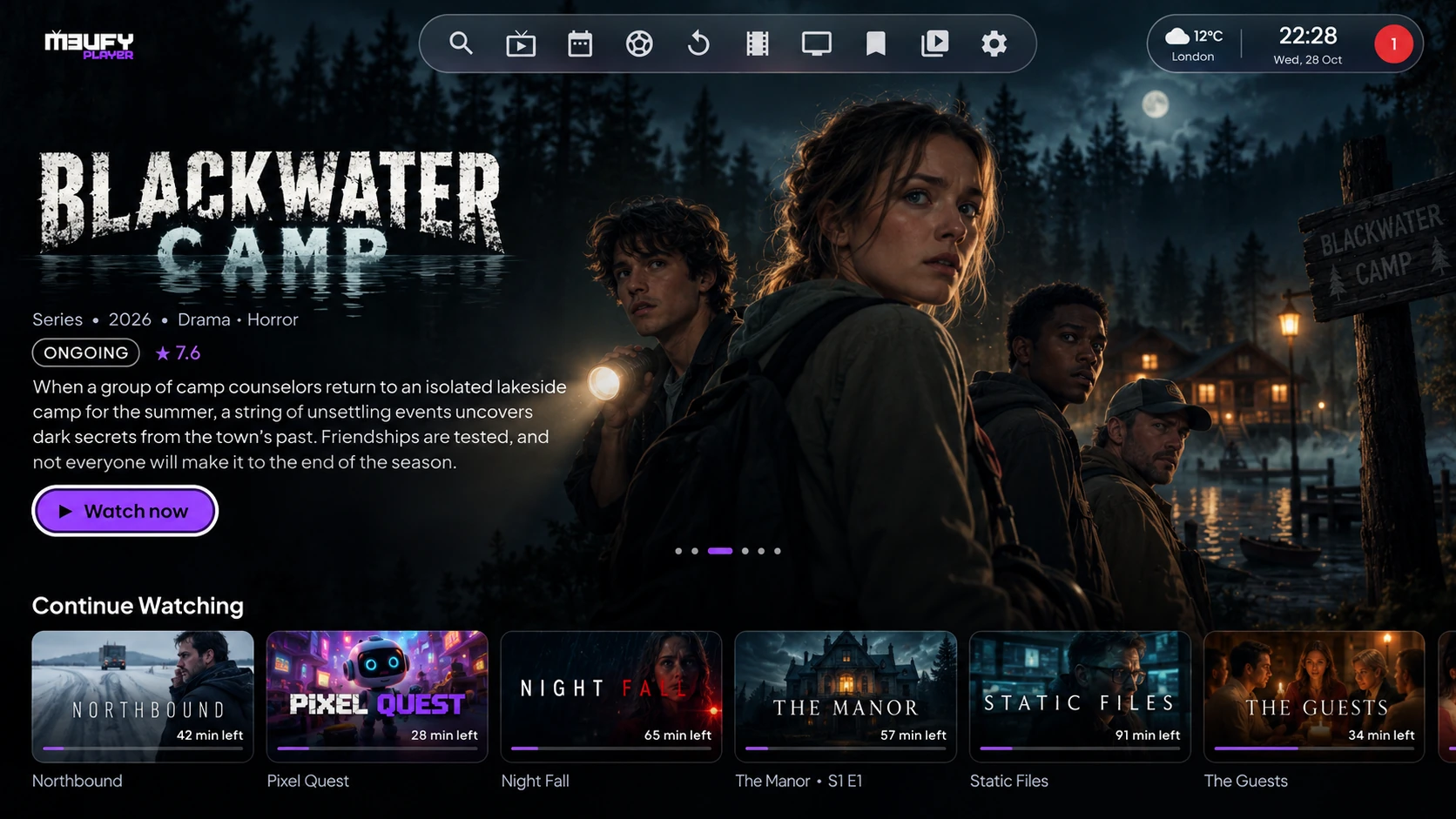
Posters, trailers, cast and ratings, real episode titles and stills — and Continue Watching that remembers where you stopped.

  • Skip intro and the episode list inside the player
  • Automatic subtitles in your language
  • Discover with filters by genre, studio and network

Built in

Power you'd expect to pay extra for.

Multiview New

Two, four or six channels on one screen — or one large with the rest beneath. Only the one you are on is heard.

Several sources

Several playlists at once, each with its own guide and logos.

Built-in VPN

WireGuard for your streams, one switch away.

Profiles & kids

Up to four people, each with their own playlists, history and look — plus a children's profile.

Trakt & sync

Continue Watching, favourites and playlists follow you across TVs and sources.

Picture & sound

Where your TV supports it, decoded or passed through, with three built-in engines: ExoPlayer, the system player and mpv.

Your language

Twelve app languages, right-to-left included, and audio by language priority.

From your phone

Add playlists by QR code and organise channels without a TV keyboard.

And much more

The details that make it better.

See every detail

Several playlists at once — each with its own guide and logos.

M3U, Xtream Codes & Stalker portals, side by side.

Enigma2 on your network — import bouquets, guide listings and available logos through WebIF. Playback depends on your receiver and tuner configuration.

Stremio / JSON add-ons — use compatible third-party stream, catalogue and subtitle add-ons, configured with your own services.

Three playback engines — ExoPlayer, the system player and mpv.

AC-3, E-AC-3, DTS & TrueHD sound, decoded or passed through.

4K, HDR & Dolby Vision where your TV supports it.

Automatic subtitles in your language, with full styling.

Audio by language priority — original first, if you like.

Trakt history, scrobbling and watchlist sync.

Continue Watching across sources — shared progress by TMDB or IMDb identity where available, while preserving your last local playback source.

Built-in VPN (WireGuard) for your streams.

Your colours — accent, backgrounds, true black.

Twelve languages, right-to-left included.

Hide, pin and reorder groups and home rows.

Manage from your phone — add playlists by QR code, with playlist and guide download progress on the TV.

Organised settings — five TV-friendly categories for an easier setup.

Guide remote shortcuts — LEFT browses back to Now, hold LEFT to enter available catch-up, and BACK returns to Now. OK on a future programme opens reminder and recording actions.

Quick return to the first group — press LEFT on a group below the top, in Live TV, Guide and fullscreen lists.

Provider-supported catch-up — OK on a past programme opens its archive when your provider supplies one. Recordings require suitable storage and source access.

Automatic updates with a clear changelog.
Compare features

M3ufy & TiviMate

Two TV-first players for your own playlists. See the shared essentials and the extra ways M3ufy brings your entertainment together.

Feature availability, not a speed or playback-quality benchmark. TiviMate features may require Premium.
FeatureM3ufyTiviMate
Android TV & remote navigationSupportedSupported
M3U, Xtream Codes & StalkerSupportedSupported
Multiple playlists, favourites & searchSupportedSupported
TV guide (EPG)SupportedSupported
Provider-supported catch-upSupportedSupported
Recording & multiviewSupportedSupported
Parental controlsSupportedSupported
UI customizationCustom accent colours, backgrounds, true black, catalogue layouts & Home rowsInterface personalization supported; exact options vary
Automatic online subtitles for movies & episodesFind, download & select available subtitles by preferred languageBuilt-in online downloading not documented*
VOD downloads for later viewingDownload supported movies & episodesVOD downloading not documented*
Downloaded VOD on local, USB or NAS storageSave & play from device storage, USB drives or configured NAS / SMB sharesDownloaded-VOD storage workflow not documented*
Multiple built-in playback enginesExoPlayer, Android player & mpv — inside the appMultiple built-in engines not documented*
Separate engine choices for Live TV & movies / seriesSet each independentlyNot documented*
Kids-profile catalogue filteringChildren’s groups, family / animation genres & available age certificationsProfile-based catalogue filtering not documented*
Stremio / JSON add-onsStreams, catalogues & subtitlesNot documented*
Continue Watching across provider & add-on sourcesShared progress by TMDB / IMDb identityNot documented*
Sports scores & events on HomeWith playlist & guide matchingNot documented*
Separate household profilesPlaylist selection, history & appearance per profileNot documented*
Enigma2 WebIF importChannels, EPG & available logosNot documented*
Built-in WireGuard VPNSupportedNot documented*
Trakt integrationHistory, scrobbling & watchlistNot documented*
Channels or subscriptions includedNo — bring your ownNo — bring your own

* “Not documented” means the feature is not described in the official TiviMate sources reviewed; it is not a claim that the feature is unavailable. Comparison checked 7 October 2026 against TiviMate’s official website and its Google Play listing. Features can change with updates.

Catch-up needs provider support. Recording needs storage and source access; multiview needs suitable hardware and enough provider connections. Add-ons require your own compatible services. Enigma2 playback depends on the receiver and tuners. Cross-source progress requires matching content IDs where available.

Online subtitles depend on matching files and enabled subtitle services; language preferences and automatic selection are configurable. Kids filtering uses provider group names and available catalogue metadata, not a guarantee that every title is appropriate. Review the content offered to children. Built-in playback engines are distinct from opening a stream in a separate external-player app.

VOD downloads require a compatible, accessible source, sufficient free space and permission to save the content. Local / USB downloads can be watched without an internet connection; NAS playback still needs access to the network share. These rows describe VOD downloads, not live-TV recording.

TiviMate is a trademark of its respective owner. This independent comparison is not affiliated with or endorsed by TiviMate.

Pricing

Try it free for 7 days.

Every plan is the whole app — no tiers, no adverts. Only the length and the number of devices change.

1 Year
€9.99 / year
  • One device
  • Every feature and update
  • Renew when you like
Buy
Best value
Lifetime
€24.90 once
  • One device
  • Every future update
  • Pay once, never again
Buy lifetime
Lifetime · 5 devices
€79 once
  • Five devices, €15.80 each
  • Move a seat to another TV
  • Every future update
Buy for 5 devices

Pay by card, Apple Pay, Google Pay or crypto on your account page — your TV activates by itself. No channels are included: M3ufy plays the playlist you already have. See the Refund Policy.

Get started

Watching in three steps.

  1. Install

    Download the app here, or on Fire TV use the Downloader app with code 2625887.

  2. Add your playlist

    Type it on the TV, or scan the QR code and add it from your phone at m3ufy.com/link.

  3. Watch

    Your free week starts on its own. Keep going with a plan whenever you are ready.

Guides & tips

The complete M3ufy manual.

Step-by-step tutorials for every part of the app, with an illustrated guide and a searchable settings reference. Learn playlists, guide loading, playback, profiles, local editing and more.

33step-by-step guides
17settings tabs
182controls explained

EPG Full — a TV guide matched to your provider, with a free two-day trial to check your own channels.Read the guide →

FAQ

Questions, answered.

Can't find it here? The manual covers every screen, and the community answers fast.

What is M3ufy Player?
An IPTV player for Android TV, Google TV and Fire TV. It plays live TV, films and series from a playlist you provide. It is a player only — it includes no channels or content.
Which playlists does it support?
M3U / M3U8 links, Xtream Codes logins (server, username, password) and Stalker (MAG) portals. You can use several playlists at the same time; each keeps its own guide and logos.
How do I install it on a Fire TV?
Install the free Downloader app from the Amazon Appstore, open it and enter 2625887. The first time, Fire TV asks you to allow installs from Downloader — that is normal for apps outside the store.
How much does it cost?
Every device gets 7 days free with every feature. Then it is €9.99 a year, €24.90 once for lifetime, or €79 once for five devices. Pay by card, Apple Pay, Google Pay or crypto on your account page, or through a reseller. Nothing renews automatically and no card is stored.
Can I pause and record live TV?
Yes. Pause any channel, start a programme from the beginning where your provider keeps catch-up, and record to a USB drive, the box itself or a network drive — without using a second connection from your provider.
Does it sync between my devices?
Yes. Continue Watching, favourites and playlists follow you, and a Trakt account adds watched history, scrobbling and your watchlist.
Is my data safe?
We never sell your data, and playlist passwords are stored encrypted. The Privacy Policy lists exactly what is collected.
I need help or a refund
Send us a message on the contact page — we usually answer within 24 hours.

Ready for the big screen?

Install M3ufy Player, add your playlist, and try everything free for a week.